
Page not found
We have recently redesigned this website, which involved changing both the functionality and architecture of several parts of the site. This necessarily involved changed URLs, primarily in sections like our documentation as guides were merged and reorganized. We apologize for the broken links or search results while Google reindexes our site and hope you find what you're looking for in the search results below.
Answer Answer to Question 4274
https://drupal.org/node/1976480#comment-7359872 ...
DrMicky — August 2013
Question Product Variations' Varying Properties
I using product_display node content type as the representation of Product Name (from the table) and as ... I view the node product_display. The product variation video looks like only displaying the 1 product ... variation per product_display node. Thank you. Stock Product Variation ...
Documentation Discount & Inline Conditions
discounts to be applied based on its product display node’s terms. Discounts based on custom fields With ...
 Nicholas Vahalik — July 2015 — Drupal Commerce 7.x-1.x — Status: No Known Problems
Discussion Rules to create/delete a corresponding Product Display upon create/delete Product
Trying to figure out a way with rules to automatically create a new display node when a product is ... created. The display node title should be the sku of the product. Also trying to figure out a way to do ...
phillbd — October 2011 — 13 comments
Answer Answer to Question 15324
node--product--type.tpl.php as follows: <?php if (! $field_images):?> <div class="container-24 grid-14 ...
ViEffe — May 2016
Answer Answer to Question 4213
Vote up! 1 Vote down! Image sizes to be displayed in nodes are set in Content type or Product type ... Manage display tab. There you can choose which type of image to display on which node view (Teaser, ... Product list, Full node view, etc.) Including Commerce Kickstart component Cloud Zoom, or, if you prefer, ...
j2b — August 2013
Answer Answer to Question 7093
http://drupal.org/node/1999888 but maybe this is bug. ...
chefnelone — May 2013
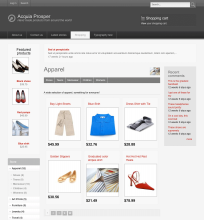
Theme Acquia Prosper
a node-product.tpl.php file, which themes the product images, price, attributes, product info, and add to cart form Hides ...
stephthegeek — May 2009 — 5274 Installs
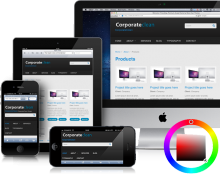
Theme Corporate Clean
theme features: logo, site name, site slogan, user pictures in comments, user pictures in nodes, favicon ...
skounis — November 2013 — 22783 Installs
